How to Download Minecraft Bedrock 26.60.28 Beta and Preview
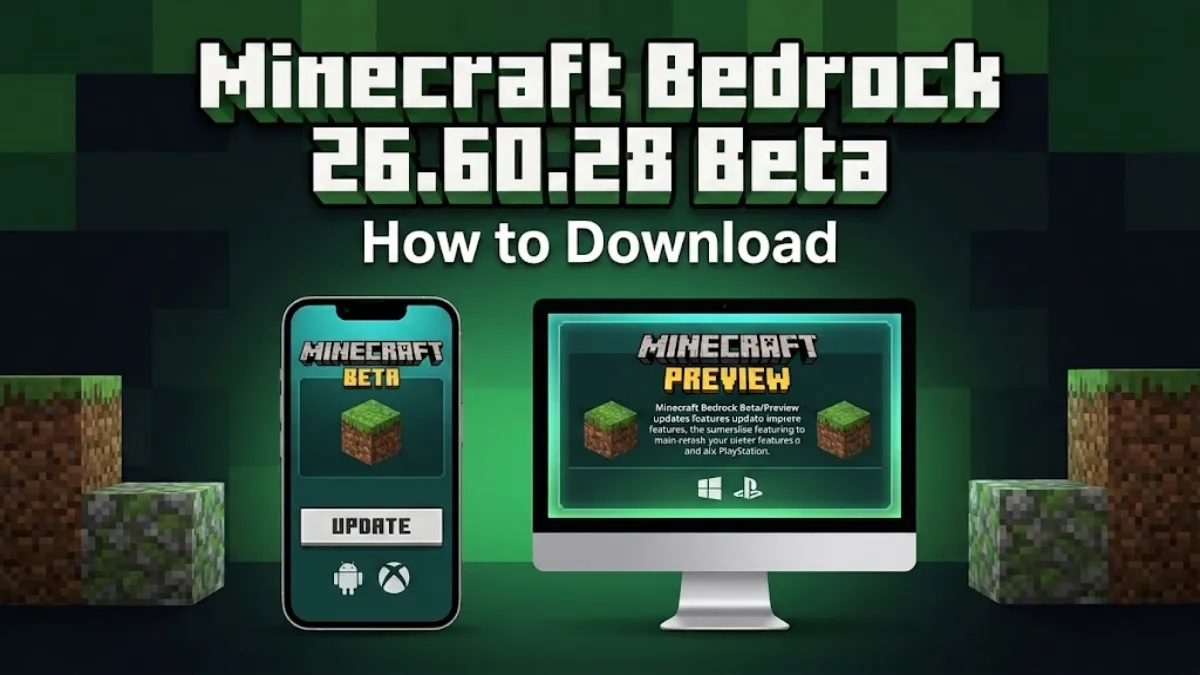
Minecraft Bedrock 26.60.28 is now available as a Beta and Preview build for supported devices. This version gives players access to the latest changes before they reach the regular Bedrock release.
Mojang released Minecraft Beta and Preview 26.60.28 on September 22, 2026. The update includes several bug fixes, gameplay changes, stability improvements and some experimental creator features. Mojang also warns that Beta and Preview versions are still in development and may have bugs or other problems.
If you want to test Minecraft 26.60.28, the download method depends on your device. Here is how to get it on Android, Windows, Xbox, PlayStation and iPhone or iPad.
Minecraft Bedrock 26.60.28 Download: Quick Details
| Detail | Information |
|---|---|
| Version | Minecraft Bedrock 26.60.28 |
| Release type | Beta and Preview |
| Release date | September 22, 2026 |
| Android | Beta through Google Play |
| Windows | Minecraft Preview |
| Xbox | Minecraft Preview |
| PlayStation | Minecraft Preview |
| iPhone and iPad | Minecraft Preview through TestFlight |
| Nintendo Switch | Not available for this Preview |
| Stable release | No, this is a test version |
Mojang confirms that Minecraft Preview is available on Xbox, PlayStation, Windows and iOS, while the Beta is available through Google Play on Android.
How to Download Minecraft 26.60.28 Beta on Android
Android players can join the Minecraft Beta through Google Play. You need to use the official Minecraft app rather than downloading a separate APK from an unknown website.
Follow these steps:
- Open the Google Play Store.
- Search for Minecraft.
- Open the official Minecraft listing.
- Find the Beta section on the page.
- Select the option to join the Beta.
- Wait for Google Play to register your account.
- Return to the Minecraft page.
- Tap Update when the Beta update becomes available.
- Open Minecraft after the update finishes.
Mojang says Android Beta access is provided through Google Play. The company also noted that there could be a delay with the Android Beta for this particular release. The Beta replaces the regular version of Minecraft on Android while you are enrolled in the program, so keep this in mind before joining.
How to Get Minecraft 26.60.28 Preview on Windows
Windows 10/11 PC players can use Minecraft Preview to test Bedrock updates. The basic method is:
- Open the Minecraft Launcher on your Windows PC.
- Select Minecraft for Windows.
- Find the version selector near the Play button.
- Select Minecraft Preview.
- Choose Install or Update.
- Wait for the download to finish.
- Launch Minecraft Preview.
Minecraft’s official testing guide confirms that Bedrock test versions are distributed through Minecraft Preview on Windows. You can also access Minecraft Preview through the Xbox app on Windows if it is available in your library.
How to Download Minecraft 26.60.28 Preview on Xbox App
Xbox players can install Minecraft Preview from the Microsoft Store.
Steps
- Open the Microsoft Store on your Xbox.
- Search for Minecraft Preview.
- Select the Preview version.
- Click on Install.
- Wait for the installation to complete.
- Open Minecraft Preview and start playing.
Mojang’s official support page confirms that Minecraft Preview is supported on Xbox One and Xbox Series X/S. Players need access to the digital version of Minecraft on their platform.
Sportskeeda also reports that Xbox players can use the Xbox Insider Hub to join the Preview program and manage the test version.
How to Download Minecraft 26.60.28 Preview on PlayStation
Minecraft Preview is available on PS4 and PS5. You can access it from the regular Minecraft game.
- Open Minecraft on your PlayStation.
- Go to Settings from the main screen.
- Scroll down to Preview.
- Select Get Preview for PlayStation.
- Follow the instructions shown on screen.
- Download the Preview application from the PlayStation Store.
- Open Minecraft Preview after the installation.
Mojang’s official support page lists Minecraft Preview for both PS4 and PS5 and provides these installation steps.
How to Get Minecraft 26.60.28 Preview on iPhone and iPad
Apple users can test Minecraft Preview through Apple’s TestFlight system. The process is slightly different from Android because Preview access depends on available testing slots.
The general process is:
- Install Apple’s TestFlight app.
- Open the official Minecraft Preview testing page.
- Join the TestFlight program if a slot is available.
- Accept the Minecraft Preview invitation in TestFlight.
- Install Minecraft Preview.
- Sign in with your Microsoft account.
- Open the Preview version and start testing.
Mojang says iOS Preview access is handled through TestFlight and that testing spaces can be limited.
If TestFlight is full, you may have to wait until another testing slot becomes available.
Is Minecraft 26.60.28 Available on Nintendo Switch?
Minecraft 26.60.28 Preview is not listed as available for Nintendo Switch.
The current Preview program covers Xbox, PlayStation, Windows and iOS, while Android uses the separate Beta program. Players on Switch should therefore continue using the regular Minecraft Bedrock version unless Mojang announces Preview support for the platform.
What is New in Minecraft Bedrock 26.60.28?
Minecraft 26.60.28 is mainly focused on fixes and improvements rather than a large new content update. Mojang’s release notes include changes across gameplay, blocks, graphics, Realms, the user interface and stability.
Fix for HUD Heart Crashes
One of the stability fixes addresses a crash that could happen when the game tried to render too many hearts on the HUD.
This should make the game more stable in situations where the health display becomes unusually large.
Fix for Damaged Resource Files
The update also fixes a crash that could occur while loading malformed resource archives. This is useful for players who work with resource packs and other custom content.
Experimental Entity Storage
One of the more interesting changes is an experimental entity storage component for creators. The feature allows custom blocks to store up to four entities. It is aimed at creators working with custom content and is part of the experimental features in this test version.
Other Changes
The 26.60.28 release also includes fixes for:
- Hopper and container items being lost when blocks are replaced with commands
- Redstone connections on certain custom blocks
- Sheep getting stuck in grazing animations
- Character Creator items appearing incorrectly with armor
- Some Realms interface problems
- Marketplace loading and navigation issues
- Server navigation after a failed connection
- Cursor movement while scrolling
- Several user interface problems
These changes are listed in Mojang’s official 26.60.28 release notes.
Should You Install Minecraft 26.60.28 Beta?
If you want to test new Bedrock changes before the stable release, the Beta or Preview version gives you that opportunity.
However, it is not the same as the normal Minecraft release. Mojang specifically states that these versions can be unstable and may not represent the quality of the final version.
For that reason, it is better to keep important worlds backed up before testing. You should also avoid installing Minecraft Beta or Preview from unofficial APK websites. Use Google Play, Minecraft Preview, the Microsoft Store, PlayStation Store or TestFlight depending on your device.
Read more- Minecraft Live September 2026: Date, Time and How to Watch
Final Words
Minecraft Bedrock 26.60.28 is mainly a maintenance and testing update. It brings several fixes while also giving creators access to an experimental entity storage feature.
The safest way to get updates is to use the official testing program for your device. Android players should use Google Play Beta, while Windows, Xbox, PlayStation, and iOS users should use Minecraft Preview via their respective supported platforms. Since this is a development build, be sure to back up important worlds before installing it, and keep in mind that features or behaviors may change before the final release.